Cafler AI
Work orders

From the car arriving to the invoice, in a single document

Every car that comes in has a work order with everything written down: the condition on arrival, the jobs, the real time spent on each phase and the signatures. And when something needs approving, Cafler AI notifies the customer for you.

New quick orderType a plate, name, phone number or email
Edward BennettPrivateActivePulled from CRM
ID NUMBERD1234567PHONE+1 (555) 123-4567EMAILedward.bennett@gmail.com
FOFord F-150 20193WQB657· Gasoline · 79,800 miOperational
VIN1FTZZZ1KZAW123657
GasolineAutomaticInspection valid
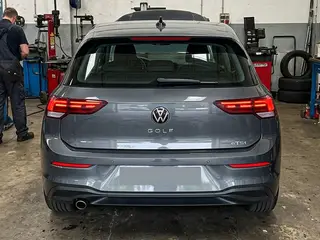
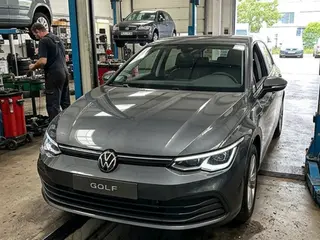
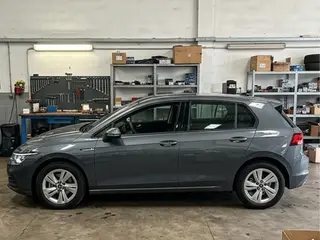
VEHICLE PHOTOS3
VEHICLE CONDITION ON ARRIVALCarMotorbikeVanTruck

Tap each zone to cycle no damage → light → moderate → severe

9000
1Front · bumperNo damage
2BonnetNo damage
3Left front wingNo damage
4Right front wingNo damage
5RoofNo damage
6Left rear sideNo damage
7Right rear sideNo damage
8TailgateNo damage
9Rear · bumperNo damage
Mileage on arrivalCopy last visitFuel3/4EF
One module

The car's whole journey through the shop, in one place

The list tells you where every car stands. Inside, the Quick order clears everyday work in a minute and the Full order carries the protocols, the photos and the signatures. Both end in the same invoice.

You know where every car stands without asking

Open orders with their progress bar, their status and whether they can be billed yet. Search by plate, customer or order number, and the whole row opens the detail.

Work orders

Notify with Cafler AI+ New order
Open19History23
Search by plate, make, model, customer or order no.…Status: all
NO. · DATECUSTOMERVEHICLEPROGRESSSTATUSBILLING
WO-2026-004406/09/2026Ashley ShermanQUICKPrivate8KJL294Ford Escape0%AWAITING ARRIVAL0/2 jobsPendingBill now
WO-2026-004306/08/2026Michael ColemanFULLPrivate6TRV118Honda Civic15%CHECK-IN0/3 jobs✓ ApprovedBill now
WO-2026-004206/05/2026Laura MillerFULLCompany4NBD702Toyota RAV435%IN REPAIR1/3 jobs✓ ApprovedBill now
WO-2026-004106/05/2026Robert SandsFULLPrivate9XPL530Chevrolet Malibu55%BLOCKED2/4 jobs✓ ApprovedBill now
Aftersales AI, inside the module

What the mechanic finds,
approved by the customer

Closing the inspection turns up things that were not in the booking. Cafler AI sorts them by priority, writes the notice and sends it to the customer’s phone. They approve, postpone or ask for a call, and the answer comes back into the work order.

  • Findings arrive sorted by priority: safety first, then what is merely advisable.
  • The message is written by Cafler AI and you review and adjust it before sending.
  • The customer approves from their phone and the answer is recorded on the order.
  • One queue shows what was sent, what was approved and what is still waiting.
Notify with Cafler AICafler AI suggests
Edward Bennett3WQB657Not sent$157AT STAKE
34Notices sent6Awaiting reply$1,340Approved amount

Inspection findings

Front brake pads at 15%$96SafetyBest replaced todayCabin filter clogged$36.50AdvisableWorth doing on this visitWiper blades worn$24Can waitCan wait for the next service
Proposed total$157

Customer view · WhatsApp

ApprovePostponeCall me
Send to customer
Quick order

The legal document is ready before check-in ends

Type the plate and the customer and their car are already on screen. Mark how the vehicle arrives, note what they came in for and add the jobs from your catalogue. A minute later the car has a signed order.

  • The search box pulls customer and vehicle from the CRM by plate, name or phone number.
  • The nine zones of the vehicle are marked with a tap: no damage, light, moderate or severe.
  • Mileage and fuel are recorded on arrival and checked again at handover.
  • Out comes the legal document with both signatures, and the estimate follows with nothing retyped.
VEHICLE CONDITION ON ARRIVALCarMotorbikeVanTruck

Tap each zone to cycle no damage → light → moderate → severe

9000
1Front · bumperNo damage
2BonnetNo damage
3Left front wingNo damage
4Right front wingNo damage
5RoofNo damage
6Left rear sideNo damage
7Right rear sideNo damage
8TailgateNo damage
9Rear · bumperNo damage
Mileage on arrivalCopy last visitFuel3/4EF
Full order

Six phases, each one with an owner

When the job carries a protocol, the order opens phase by phase: vehicle intake, technical inspection, estimate, work order, billing and handover. Each one unlocks as the previous closes, and records who did it and how long it took.

  • The board shows which phase each car is in and how many steps are left.
  • Every task has a timer: start, pause and complete, with the real time recorded.
  • Photo and video evidence stays attached to its phase, with date and time.
  • If a part is missing, the order is blocked and flagged until the delivery arrives.
Phases under wayWhat is being worked on right now2 running
JGJosh GrantIn progress · WO-2026-0044
Front brake pads01:12:40
PauseComplete
1 hEstimated01:12Actual12 files
NRNora ReedPaused · WO-2026-0040
Oil and filter change00:32:05
ResumeComplete
45 minEstimated00:32Actual
MSMary ShawNot started · WO-2026-0043
Technical inspection--:--:--
Start
25 minEstimatedActual
DLDanny LoweNot started · WO-2026-0042
Check suspension noise--:--:--
Start
30 minEstimatedActual
Billing and handover

No car leaves without an invoice and a signature

From the order itself you generate the pro forma, record the payment and issue the invoice. Then the handover protocol checks mileage and fuel against the arrival figures and collects the customer’s signature.

  • Pro forma, payment and invoice come out of the order; with an ERP connected, your ERP issues it.
  • Take payment now or later: card, cash, bank transfer, or 15, 30 and 60 days.
  • Handover checks mileage and fuel against the arrival figures, with photos and a signature.
  • Everything is auditable: who did what, when, with which photo and which document.
Billing and payment
View estimate as PDFThe document the customer approvedDone
Generate pro formaPRO-2026-00027Done
3PaymentChoose how it gets paidIn progressCard · in-shop terminalCash · collected in personBank transfer · payment pendingDeferred payment · 15, 30 or 60 days
4Issue invoiceUnlocks once a payment method is markedLocked
TOTALSales tax included$530

Questions about work orders

The quick one is for everyday work: it opens in a minute with the condition of the car on arrival, the mileage, the fuel, what the customer asked for and the jobs, and the signed intake document comes straight out. The full one is the same order with the protocols laid out in phases — intake, technical inspection, estimate, execution, billing and handover — with photos, signatures and time per task. You start with the quick one and move up when you need to, without retyping anything.
Yes. The order is generated as a PDF with both signatures — the customer’s when they leave the vehicle and the shop’s at handover — with date and time, and it is stored with everything that was done. It is the document the trade rules ask you for and the one that backs up the work if there is a complaint later.
Quick ones, yes. You tell Cafler AI the vehicle and the jobs and it leaves the order created; it can also update one or find a customer’s orders or the ones still unbilled. The full order, with its checklist, signatures and phases, is done on screen: the chat takes you there but does not advance it on its own.
The order goes to blocked and shows up in the alert on the home screen, so nobody ties up a bay with a car that cannot be finished. From there you place the order and, when the material arrives, you assign it and the work order goes back to in repair on its own.
You tick the findings you want to put to them and Cafler AI writes the notice with what was found, the price and how urgent each item is. You review it, it goes to the customer’s phone, and they approve, postpone or ask for a call. Whatever they approve goes into the order and is recorded, so the final bill surprises nobody.
With one click. The booking brings the customer, the vehicle and the service, and the status of the order is the same one shown on the shop status board, so reception knows where every car stands without asking the mechanic.
Yes. Each phase is timed when it starts and stops when it is completed, so at the end you have real time against estimated. The module’s reports break it down by job, by mechanic and by period, and that is where you see which services you are quoting below what they cost you.
Yes. The checklist is configured per service type: each shop switches on the steps it uses and leaves out the rest. The tyre protocol ships fully detailed, with the tyre reading and the mandatory photo per axle, and the other protocols are added the same way.

See work orders running with your own services

A 30-minute live demo: we open an order with your jobs, your protocols and your prices.