
From supplier to workshop, every part in sight
Buy what your estimates and work orders need, see what arrives today and which car is waiting for it, and when something comes in wrong the supplier already has the message. Stock and the schedule update on their own.
 Michelin Primacy 4 205/55 R16 91V ×4Reifen Nord · PO-2026-0124Blocks WO · M-ZY 4721Main warehouse0/4 unitsIn transit
 Castrol Edge 5W-30 · 5 L ×6Schmierstoffe Rhein · PO-2026-0122Main warehouse0/6 unitsOrdered
 Continental EcoContact 6 195/65 R15 ×2Reifen Nord · PO-2026-0119North warehouse1/2 unitsPartial
Buy, receive, resolve and move, in four steps
The flow bar shows which step has work waiting and how many orders sit in each. Click and you switch inbox.
What needs buying lands in the inbox by itself
Every accepted estimate, work order with parts, Marketplace purchase or web order comes in with its customer, vehicle and appointment. Open it, check it and place the order.
 Sabine SchusterEstimateMichelin Primacy 4 205/55 R16 91V ×4M-ZY 4721 · Opel Astra21/10/2026
 Michael KaiserWO parts
 Brembo P 85 020 brake pads ×1B-FG 1183 · VW Polo22/10/2026
 Lena MöllerWeb B2C
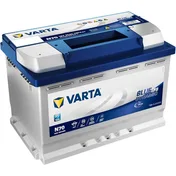 Varta Blue Dynamic 70 Ah battery ×1HH-TV 9052 · Skoda Octavia23/10/2026


From accepted estimate
to purchase in three steps
Open the request and the customer, vehicle and appointment are already there. Pick from suppliers with stock, lead time and price side by side, choose the warehouse it should go to and confirm. One order per supplier is created and the appointment stays put.
- Requests arrive by themselves from the Marketplace, estimates, work orders and the web.
- Compare suppliers on stock, lead time and price, and swap the product if it is out.
- Choose the destination warehouse for the whole order before buying.
- Before accepting you see the total including tax and what happens to the appointment.
Parts to buyMichelin Primacy 4 205/55 R16 91V4 unitsSupplierStockDeliveryUnit price Reifen Nord123 days78,40 €
 Rad Distribution40Tomorrow81,20 €
 Teile Süd65 days74,90 €Change supplierDestination warehouseChoose a warehouseRad DistributionTomorrowMichelin Primacy 4 205/55 R16 91V4 units · Main warehouseSupplier total330,32 €VAT 19%61,71 €Total incl. tax392,03 €Place order
The parts arrive
and the car gets going
Mark OK what arrives in good shape, upload the supplier’s delivery note and invoice, and the order closes itself. The units go into your stock and the appointment or work order that was waiting is released.
- Receive line by line or all at once; if only part arrives, the order stays partial.
- Delivery note and invoice attached to the order, and one invoice for several orders when that is how it comes.
- What you receive goes into stock in the warehouse you chose.
- Start the day with the orders blocking a work order: they have a car waiting.
Michelin Primacy 4 205/55 R16 91VEAN 352870425123440OKKOCastrol Edge 5W-30 · 5 LEAN 400817707255020OKKO Mann W 712/95 oil filterEAN 401155873800610OKKO
If it arrives wrong,
the message is ready
Mark the line KO, choose what happened and what you need —return, replacement, credit or warranty— and attach a photo. Cafler drafts the message to the supplier with the order, the product and the reason, and every contact is logged in the case.
- The product photo goes with the issue: it is the proof the supplier will ask for.
- The message comes ready to send by email, phone or WhatsApp.
- The next action is worked out for you from the reason and the case status.
- The timeline keeps who opened the case, every contact and every change.
Continental EcoContact 6 195/65 R15PO-2026-0118 · Reifen Nord · 1 of 2 unitsReasonDamagedWrong productNot receivedOtherResolution you needReturnReplacementCreditWarrantyAlert onlyOwner: Nora RitterAdd photoCreate issueReifen Nord · orders@reifennord.comSubjectIssue PO-2026-0118 · Damaged tyreMessageHello, on order PO-2026-0118 one of the 2 Continental EcoContact 6 195/65 R15 tyres arrived damaged: there is a cut in the sidewall. Photo attached. We need a return and a replacement unit. Thanks, Autowerkstatt Lindner.ChannelEmailPhoneWhatsAppWebSMSCopy messageMark contactedSee orders with your own suppliers
A 30-minute live demo: we place the order for an estimate, receive it with its delivery note and open an issue so you can see the supplier message.