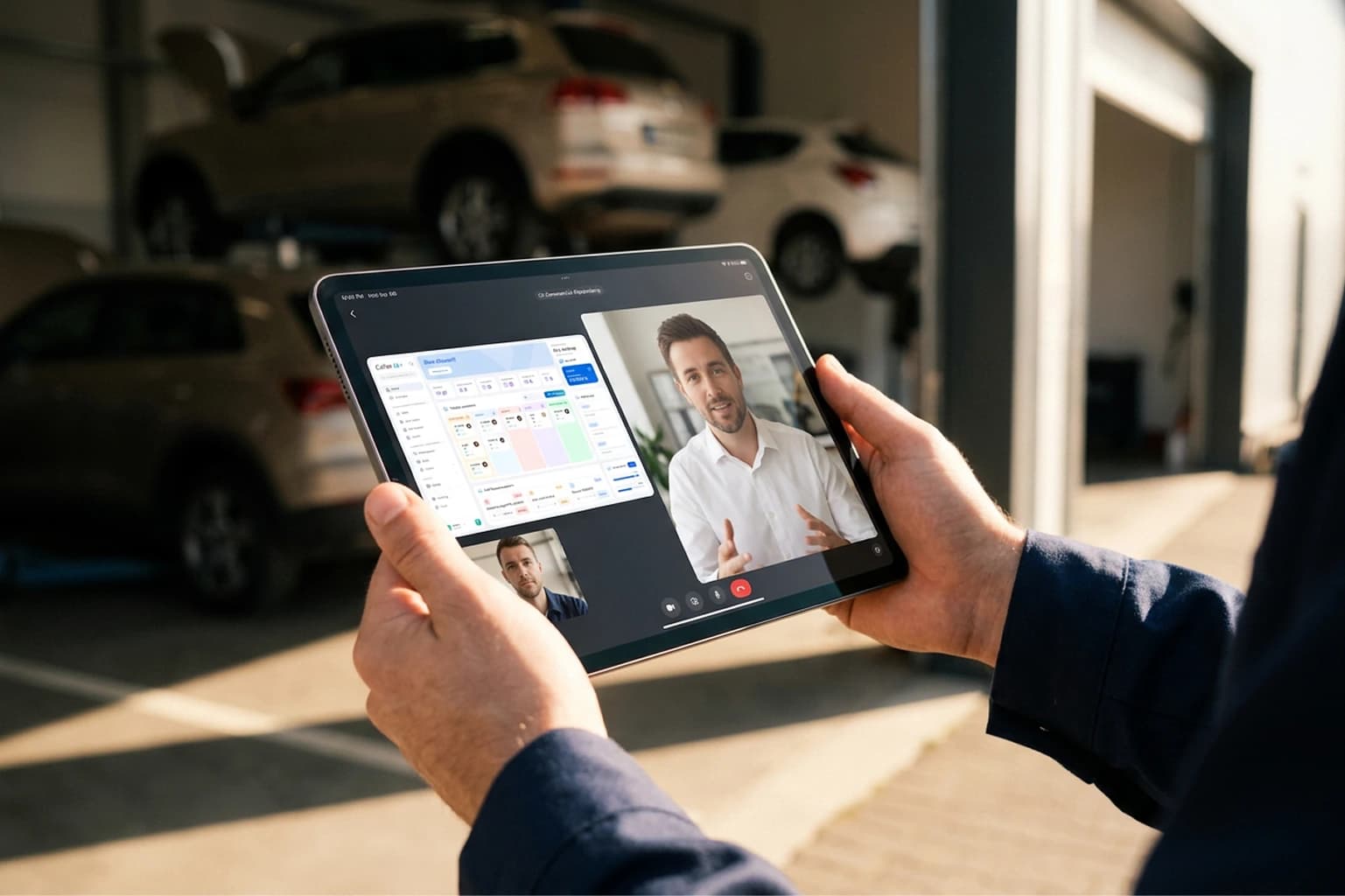
Good workshop management software needs to do nine things: invoice from the job card and connect with your accounting, find the customer and vehicle by number plate, help you manage parts and orders, run digital job cards with photos and signatures, handle scheduling, answer your customers when you can’t, work in the cloud and on a tablet, connect with your ERP and your accountant, and let you try it free with a support team that knows the trade.
This guide walks through those criteria as questions, so you can take them to any demo and compare every option the same way.
The best software isn’t the one with the most features in the demo. It’s the one that fits how your workshop already works, from day one.
What is workshop management software?
It’s the system a workshop runs its day on: customers and vehicles, bookings, job cards, quotes, purchasing and invoicing, all in one place. It replaces the notebook, the spreadsheet and the patchwork of separate tools, so every piece of data is entered once: the number plate typed in at reception is the same one that ends up on the invoice.
The newest systems add a layer of artificial intelligence that does more than store data: it prepares quotes, suggests the order of the day or answers customers, and leaves the final call to the workshop.
1. How does it handle the invoicing rules in your country?
This is the first filter, because there is no middle ground. Tax authorities across Europe and Asia are moving to digital and electronic invoicing, each with its own rules and timetable. Ask every provider how it handles the rules where you operate: whether the software issues compliant invoices itself or does it through your ERP or invoicing system.
Ask too where the invoice comes from. If it is generated from the job card, with parts and labour already recorded, nobody types it twice and most billing mistakes never happen. In Cafler, the invoice comes straight out of the job card, is locked with its final number when issued, and syncs automatically with your ERP or accounting software, or is exported for your accountant. The official tax submission your country requires runs through that system.
2. Can it find the customer and vehicle by number plate?
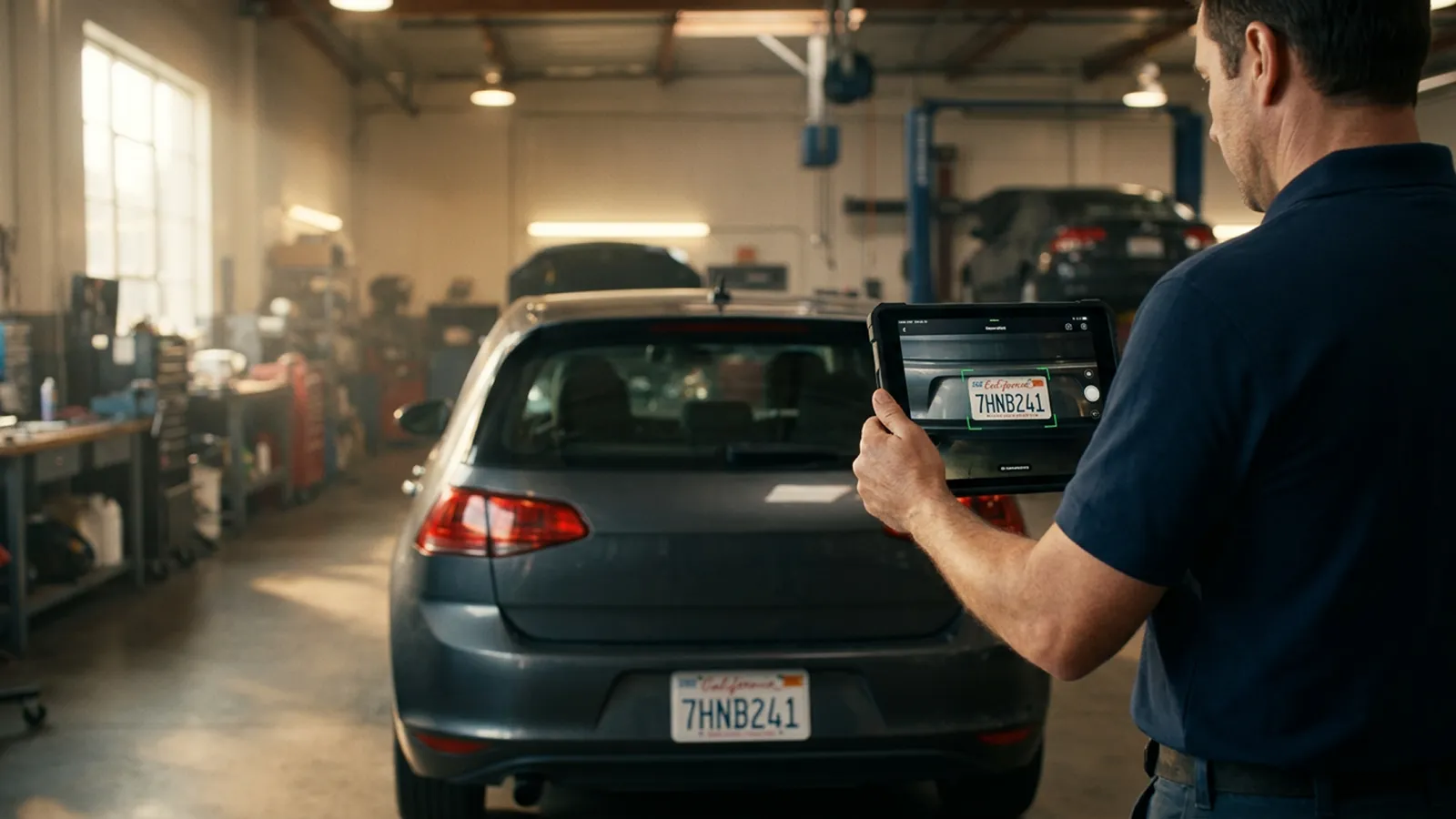
At the front desk, the number plate is the key to everything. Good software uses it as a search bar: type the plate and you get the vehicle, its owner and everything that has been done to it, with past visits, mileage and quotes. Cafler OS searches by number plate, VIN or customer and keeps the full history of every vehicle.
You don’t even need to type it. Take a photo of the car and attach it in the Cafler AI chat: it reads the number plate, checks whether that vehicle is already in your workshop and tells you which customer it belongs to.
3. Does it help you manage parts and orders?
A good chunk of every quote goes on working out which part you need, whether you have it and who sells it. Check two things: whether the software tracks your own stock, and whether you can order from the same place instead of opening five supplier websites.
Cafler keeps your stock and purchase orders inside the platform and links every part to its job card: if something is missing, the job is flagged until the delivery arrives. And when your suppliers are connected to the marketplace, you place one order and get one invoice, even if the parts come from different suppliers.
Want to know what is landing on the platform before anyone else?
Send me the news4. Are job cards digital, with photos and signatures?
The job card protects both the workshop and the customer: it records the condition the vehicle arrived in, the mileage, the work that was agreed and the customer’s approval. Filled in on a tablet next to the car, it is complete and signed on the spot.
Check that you can take reception photos and mark damage on them, capture the customer’s signature on screen and follow the job step by step until handover. Cafler OS has a quick work order you can fill in within a minute, and a full one with reception, inspection checklist, assigned technicians, parts and a handover signature.
5. Does it handle scheduling and workshop status?
A workshop schedule is not a calendar: every booking needs a time slot, a technician and a bay. Ask whether the software accounts for opening hours, the real duration of your services and your bays, and whether it shows you what is being worked on right now, not just what was planned.
In Cafler, when you make a booking the platform suggests a technician and a bay based on the day’s workload, and Cafler AI flags the bottlenecks as soon as you open the schedule. It suggests and shows where the data comes from; you decide.
6. Does it answer your customers when you can’t?
The phone always rings when your hands are in an engine. That’s why more and more workshops look for AI-powered customer service: an agent that answers on WhatsApp at any hour, books customers into real free slots and prepares the quote with your prices.
The key question is how much it knows about cars. A generic chatbot can hold a conversation; one built for workshops understands the markings on a tyre or the symptom a customer describes, and when something goes beyond what it knows, it hands the conversation to someone at the workshop with the full history in front of them. Cafler’s agent works that way, connected to your schedule and your catalogue, and everything it does is logged in the platform.
7. Is it cloud-based and does it work on a tablet?
Cloud software runs on the front-desk computer, the reception tablet or your phone, with nothing to install and no server in the workshop, automatic backups and always the latest version. If you run more than one site, it’s also how you see all of them at once.
Ask about your data too: where it is stored, whether it is encrypted and whether you can export it whenever you want. In Cafler your data is encrypted, backed up daily and always belongs to the workshop.
8. Does it connect with your ERP and your accountant?
If you already work with an ERP or an accountant, your workshop software has to talk to them. Ideally sales and purchases sync on their own and preparing the period for your accountant takes one click. Cafler integrates with your ERP, reads supplier invoices with AI and shows you in one dashboard what you are owed and what you owe.
9. Can you try it free, and who supports you?
No product page beats seeing the software with your own cars in it. Look for a free trial with no commitment and ask who will help you get set up: a contact form is not the same as a team that knows the trade.
Cafler has a Free plan to get started at no cost and a 30-day free trial in your real workshop, with full onboarding and no long-term commitment. Founded in Barcelona in 2021, inside automotive aftersales, Cafler today works with more than 1,200 workshops across Europe, the Americas and Asia.
“The best demo is the one you run with your own workshop: your services, your customers and a real day.”
How to get the most out of the trial
Any software needs to know your workshop before it can show you what it can do. Spend the first hour of the trial on these four things and the rest will follow:
- Your company and tax details, and your invoice series, so you can issue a real invoice.
- Your services with their real duration, the time your team actually takes, because that is what the schedule is built on.
- Your technicians and bays, with what each one does.
- A handful of customers and vehicles, or an import of the ones you already have.
Once that’s done, run the full journey with a real car: booking, reception with photos, quote, part, invoice. In one afternoon you’ll know whether the software fits your workshop.
Checklist: what your workshop software should have
- Invoices generated from the job card, synced with your ERP or accounting software for your country’s tax rules.
- Number plate and VIN lookup, from a photo too, with the full history of every vehicle.
- Parts stock and purchase orders in the same system.
- Digital job cards with photos, marked damage and customer signature.
- Scheduling with technicians and bays, plus a live view of the work in progress.
- AI customer service on WhatsApp, with handover to a person at the workshop.
- Cloud-based, usable on tablet and phone, with encrypted, exportable data.
- Integration with your ERP and your accountant.
- A free trial and a support team that knows the trade.